Set the fleet context.
Maintain fleet name and reference, organisation contact details, notes and the optional DVLA API-key setting.
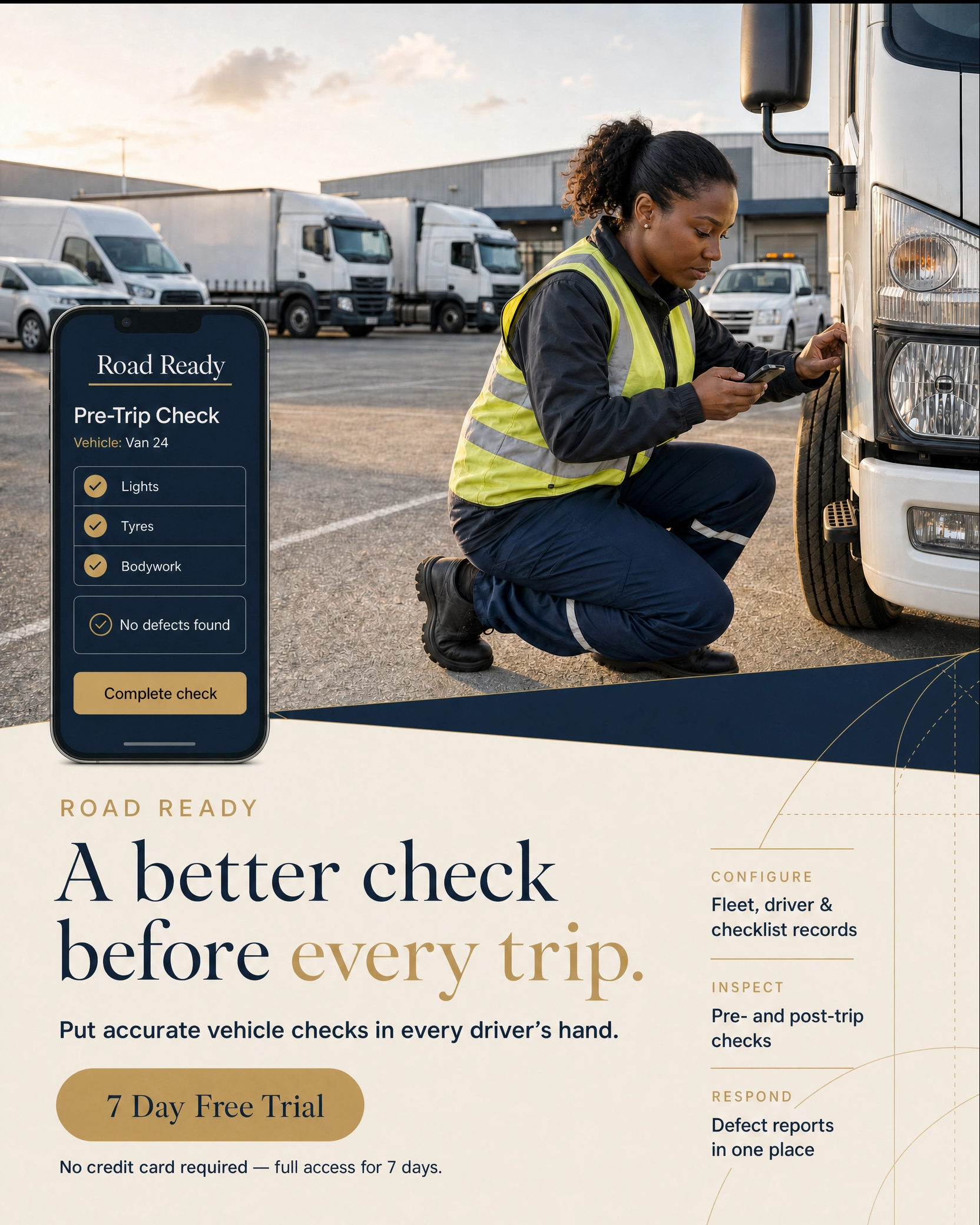
Road Ready is fleet inspection software for mobile vehicle checks and defect reporting. Keep vehicles and drivers current, issue pre- and post-trip checklists, and make reported defects visible for a clear fleet-management response.
No credit card required — full access for 7 days.
A practical fleet-check cycle
Road Ready brings the records behind every vehicle inspection—vehicle type, vehicle condition, assigned driver, required checklist and log history—into one fleet-management workspace.
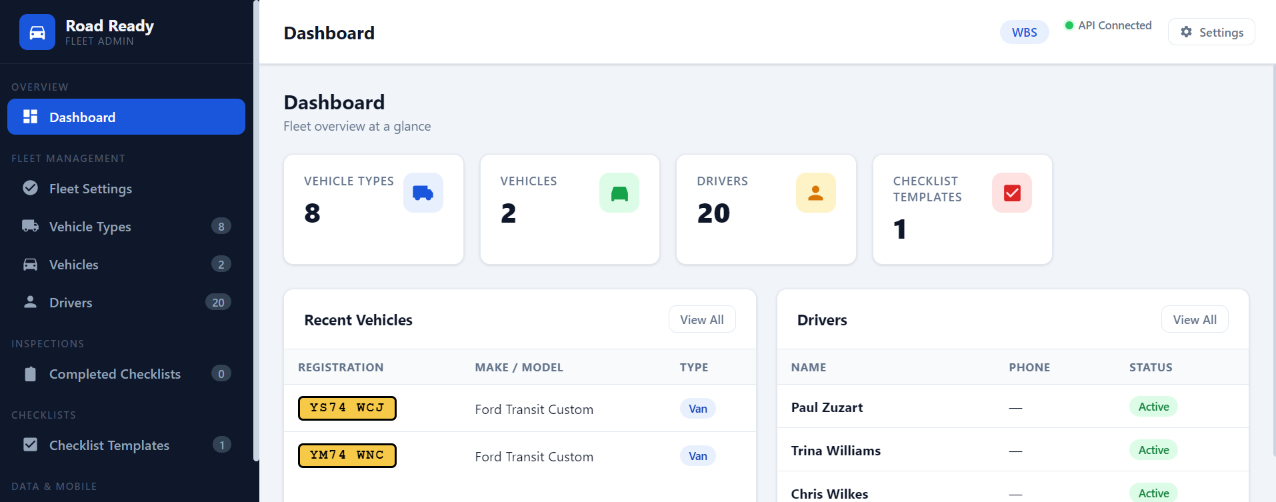
Maintain fleet name and reference, organisation contact details, notes and the optional DVLA API-key setting.
Link a vehicle to its type and assigned driver, then hold technical detail, key dates, driver availability and contact information.
Build dedicated pre- and post-trip templates by vehicle type, including the categories and required items that matter.
Open the vehicle inspection record, review submitted defects and acknowledge individual items when action is complete.
Vehicles and drivers with the operating context intact
Vehicle types, drivers, asset dates and assignment status provide the context for mobile vehicle checks and later inspection logs. Road Ready keeps these fleet records central rather than separating them from the inspection process.
Create types across cars, vans/LCVs, HGVs/trucks, minibuses, motorcycles, plant, trailers and other equipment, with descriptions for the fleet.
Store registration, type, make, model, year, colour, assigned driver, MOT and service dates, renewal cycles and notes. Use the optional DVLA lookup where configured.
Maintain driver licence number, phone, email, employee ID, work status and notes, then assign the relevant driver to the vehicle.
Checklists built around the asset, not a generic form
The checklist builder creates separate pre-trip and post-trip vehicle inspection items for each vehicle type. Administrators can set the correct detail before sending the work into the mobile inspection flow.
Define a distinct pre-trip and post-trip list so checks can match when the driver begins and completes the operational journey.
Use categories including tyres, engine, lights, brakes, fluids, body and glass, safety equipment, documents, fuel, load/cargo, mileage and general checks.
Apply a required flag to a checklist item and maintain it alongside the label and category as the operational standard changes.
Scan your generated QR code to open the mobile app, then use your phone browser’s Add to Home Screen or save option for fast access.
The Road Ready mobile app
The mobile vehicle inspection app uses current fleet and checklist configuration to support field checks. An administrator can share the mobile-app URL, launch it in a new tab, or create QR access and vehicle stickers for practical fleet deployment.
Export fleet data, checklist data or both as JSON so the mobile app reflects the current vehicles, drivers and check templates.
Copy the mobile-app URL, open it in a new tab, or generate QR access. Drivers scan the QR code to open Road Ready on their phone and can save it to the home screen for fast access.
Drivers use the mobile app to complete the configured inspection and identify any items that need attention before or after a trip.
Completed mobile inspections appear in the central inspection logs, where the fleet team can review defects and acknowledge individual actions.
Fleet inspection and defect reporting views
Road Ready connects vehicle records, mobile inspections, fleet checklists, inspection history and reported defect detail in practical views for daily fleet operations.
Inspection history that remains actionable
The inspection-log view is the central review point for completed mobile vehicle checks. Managers can filter inspection type, open entries, expand defect detail and update the record when the attention point has been addressed.
Open and refresh a vehicle’s own inspection logs from the fleet record to review the history in asset context.
Completed inspections from the mobile app are retained in the central log with their associated inspection type.
Expand a submitted inspection to examine the defect items, then acknowledge individual items from the administration workflow.
Maintain an attention indicator for check-log action so unresolved inspection detail is visible to the fleet administrator.
Fleet data that stays usable beyond the current screen
Road Ready uses server-backed data operations for fleet configuration, inspection checklist templates and vehicle inspections. The administrative workspace shows status and saving feedback while mobile data exports keep configuration portable.
Export the fleet or checklist configuration individually when only one part of the mobile inspection data needs to be refreshed.
Create the combined export when the mobile operation needs both fleet records and checklist templates together.
Server connectivity and save feedback remain visible as the fleet data, templates, settings and inspection records are maintained.
Road Ready
Bring vehicle and driver administration, pre- and post-trip checks, mobile inspection access, defect reporting and fleet-data exports into one Road Ready workspace.
No credit card required — full access for 7 days.
The Road Ready guide covers fleet setup, vehicles, drivers, checklists, mobile inspections, inspection logs and data exports.
Download Guide