Read the stock position.
Track active SKUs, stockout alerts, critical/reorder items and the total inventory value across warehouses.
Inventory Control is custom-built inventory and stock control software for multi-location businesses. Keep product catalogues, warehouse stock, sales, suppliers and purchase orders working from the same dependable stock position.
No credit card required — full access for 7 days.
The stock position, from signal to action
OmniStock Pro is customised inventory and stock control software that connects the dashboard, product catalogue and warehouse stock into one consistent view. Managers can search and filter inventory before turning critical items into replenishment action.
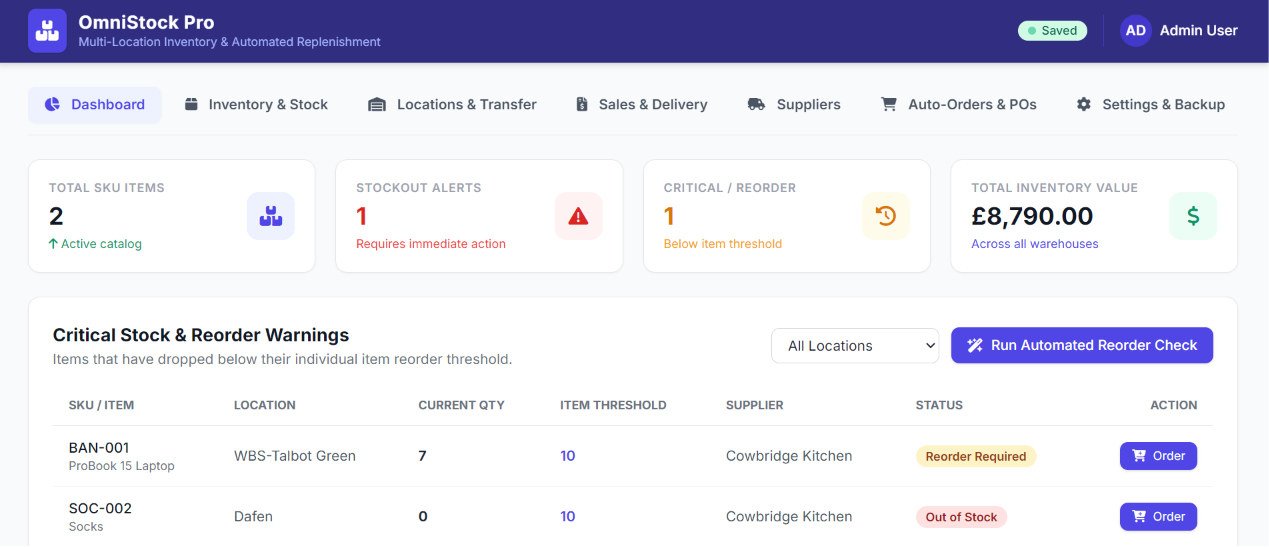
Track active SKUs, stockout alerts, critical/reorder items and the total inventory value across warehouses.
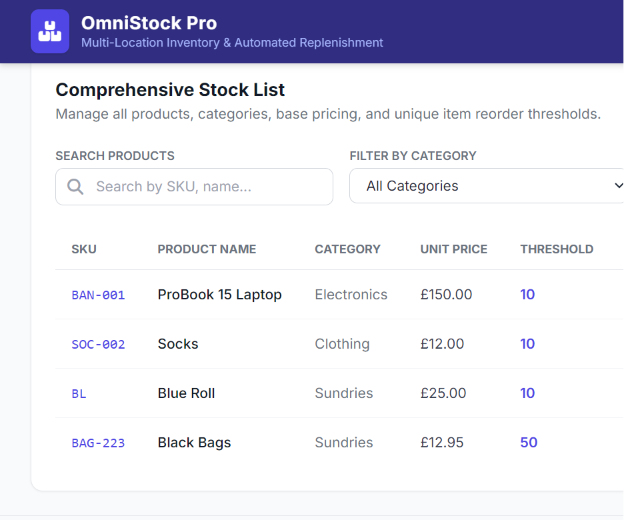
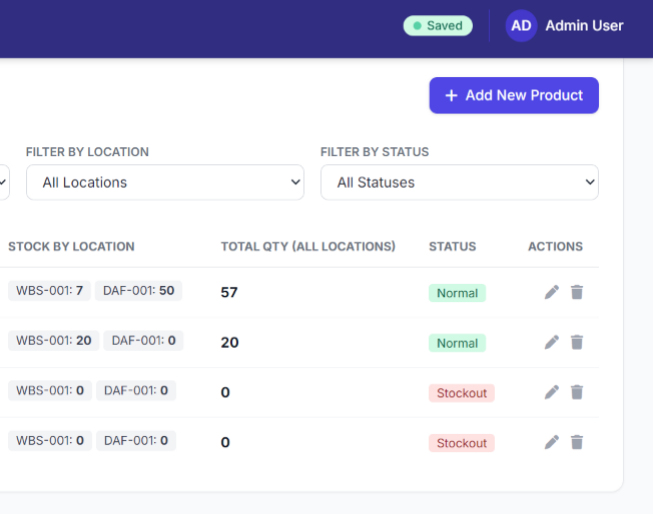
Search by SKU or product name, then filter the stock list by category, location and normal, reorder or out-of-stock condition.
Maintain each SKU, category, unit price, supplier link and distinct low-stock reorder threshold alongside stock by location.
Identify stock below its threshold and create the appropriate replenishment workflow from the warning list.
A catalogue built for operating decisions
Product records define the data that makes every later inventory and stock control process dependable. The custom build brings product details and low-stock conditions into the same workspace as supplier and warehouse context.
Add, edit or remove products with SKU, category, name, unit price, linked supplier and initial quantities at each location.
Set a unique low-stock threshold for each item rather than relying on one blanket stock level.
The dashboard aggregates inventory value across warehouses while the catalogue keeps the price and location stock behind it traceable.
Stock movement with a documented trail
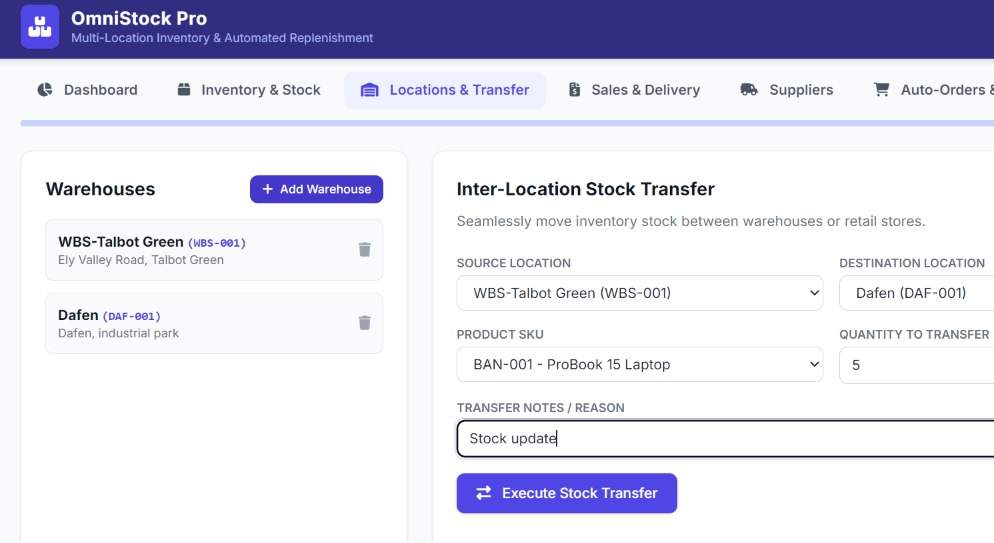
Warehouse locations are maintained with an ID, name and address. The inventory transfer flow keeps source, destination, SKU, quantity and transfer notes together, then retains stock control history and a print-ready transfer document.
Add and remove warehouses with a location code, name and address or city to keep the location list current.
Select source warehouse, destination warehouse, product, quantity and the operational reason for the transfer.
Review the transfer history and create a documented, print-ready transfer record when the movement needs to travel with the stock.
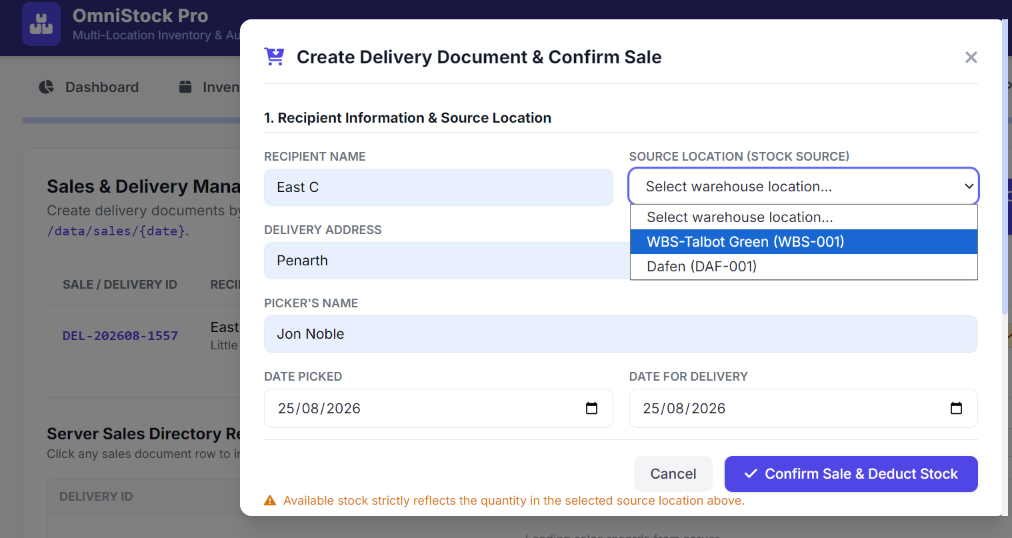
Sales that draw from the right location
Sales and delivery records use a selected source location so product choices and inventory movements remain connected to the warehouse that fulfilled the request.
Capture the recipient, delivery address, picker, picked and delivery dates, then select location-specific products and quantities.
Record supplier and recipient names or approval fields alongside the items before confirming the sale.
Use the official delivery/sale manifest, update pending, picked or send status, and review dated server-folder records.
Inventory, warehouse and purchase order views
Manage stock control across multiple locations in one inventory workspace. Search, order, update and transfer warehouse stock while retaining the records behind every movement.
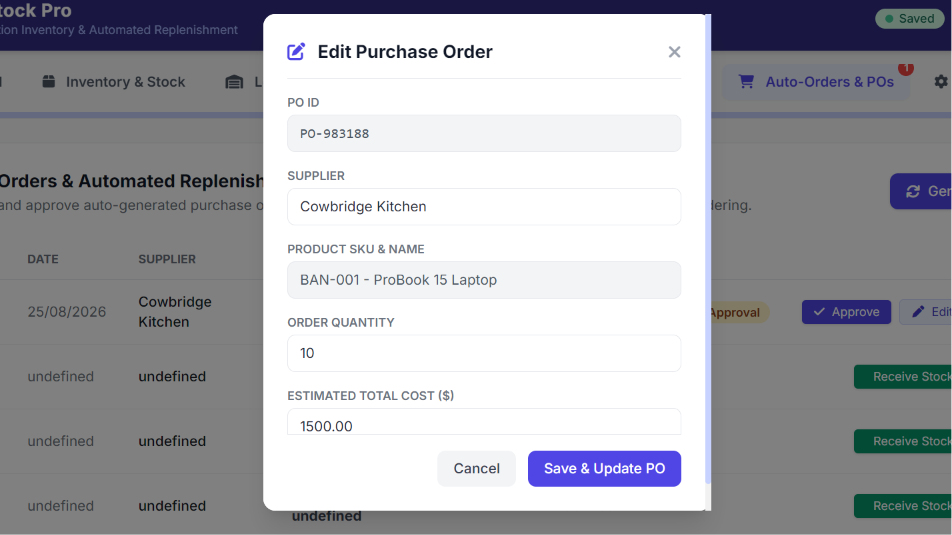
Replenishment matched to the item and supplier
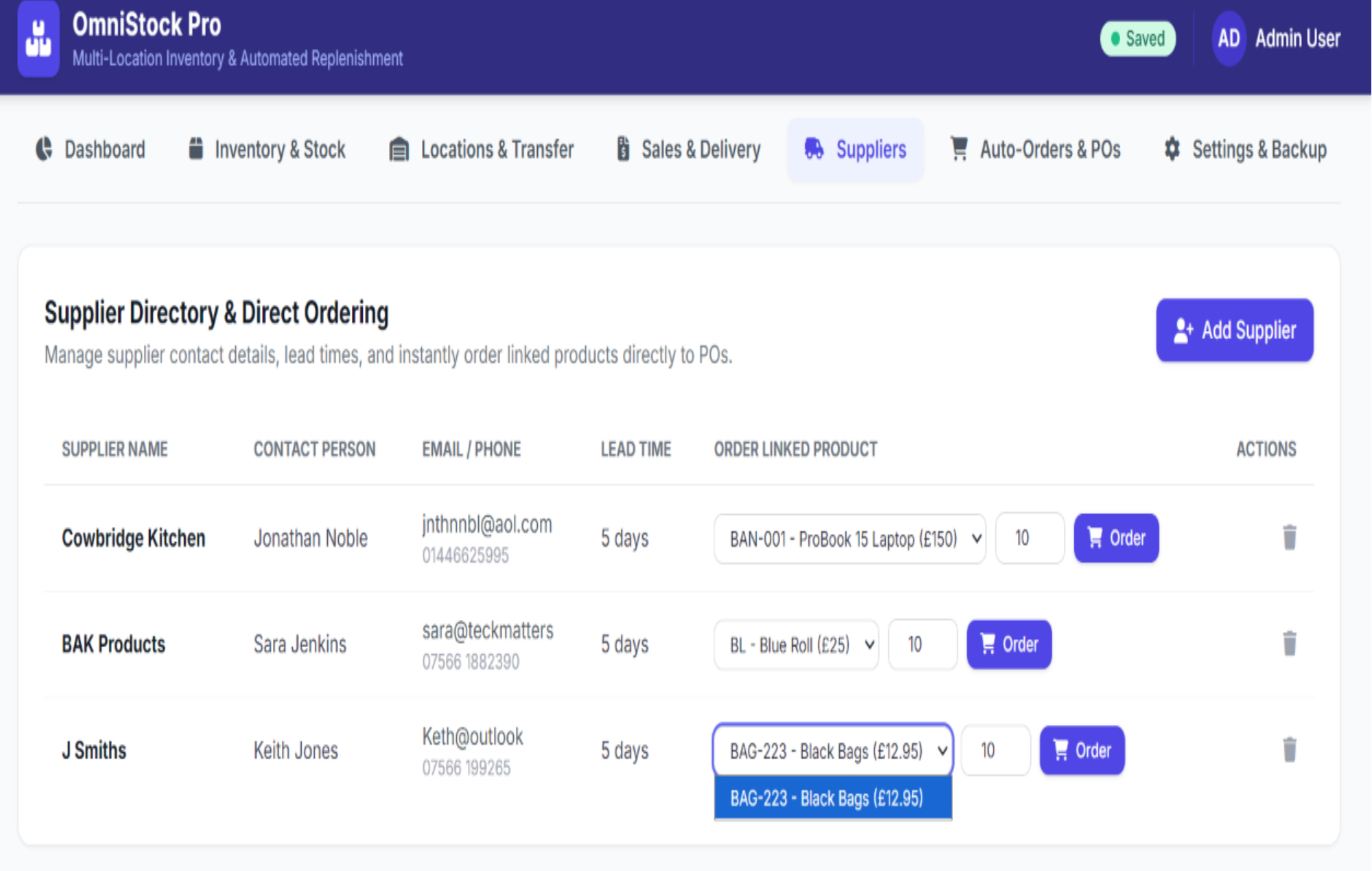
Supplier records and reorder rules work together so a low-stock condition can create a specific purchase-order decision, not merely a generic warning.
Maintain company name, contact person, email, phone and lead time, then use direct supplier ordering for linked products.
Run the critical-stock review and enable automated purchase-order generation for critical stockouts in settings when required.
Create, edit, approve, cancel or receive a purchase order, then update the operational stock record as goods are received.
Open a print-ready PO form and retain approved purchase orders in date-organised history folders.
Settings and persistence behind the stock position
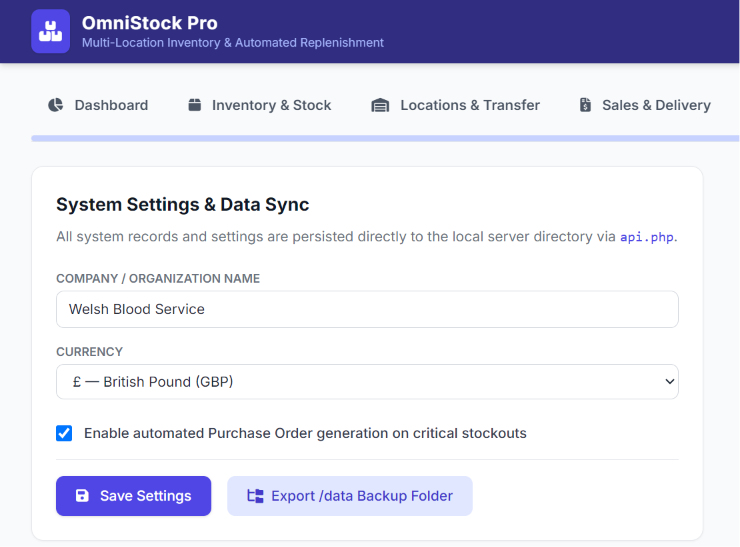
The customised inventory software manages company name, reporting currency, automatic purchase-order preference and data synchronisation. Dated server folders keep sales and purchase-order history accessible from the same system.
Maintain company or organisation name and select the currency used in operational inventory values and documents.
Enable or disable automatic purchase-order generation when critical stockout conditions are detected.
Use the export function and server-folder views to retain access to documented sales and purchase-order history.
Inventory Control
Bring multi-location inventory management, stock control, warehouse transfers, sales, suppliers, purchase orders and audit-ready records into one custom inventory workspace.
No credit card required — full access for 7 days.
The Inventory Control guide covers products, locations, transfers, sales, suppliers, purchase orders, stock control and settings.
Download Guide